Table of Contents
- Introduction
- 1. The Concept of “DRM Master”
- 2. Exploring the Display Topology (KMS)
- 3. Video Memory Allocation: The Dumb Buffer
- 4. Taming the TTY and Handling Interruptions
- 5. Mode Setting: The Moment of Truth
- 6. Building an Image Album: The Memory Dump
- 7. Page Flipping: Solving the Tearing Problem
- 8. Adding Basic Interactivity (Input Handling)
- 9. The Future: Atomic Modesetting
- Conclusion and Next Steps
Introduction
A previous article1 explored video memory to create a screen-sharing tool.
The approach relied on high-level APIs (xdg-desktop-portal and PipeWire) to politely ask the Wayland compositor to provide us with a copy of the display.
We stayed quietly in user space, without interfering with the rendering.
Today, we are going to do exactly the opposite.
We are going to cut out the middleman. We will no longer read the screen; we are going to write to it. The goal of this article is to understand how a display server (like Xorg, Weston, or KWin) initializes. To do this, we are going to write a “bare-metal user-space” C program that takes exclusive control of the graphics card via the Linux kernel (DRM/KMS API) to draw our own pixels, without any desktop environment running in the background.
Warning: This code cannot be executed from a terminal under GNOME or KDE. It requires total control of the graphics card. It must be launched from a pure TTY (Ctrl+Alt+F3).
Prerequisites
While “rendering without a display server” might sound daunting to newcomers, it is surprisingly accessible. You don’t need to know 3D mathematics, OpenGL/Vulkan pipelines, or write low-level kernel drivers.
Specifically:
- C programming basics: Pointers, structs, and memory buffers.
- Basic Linux systems knowledge: Understanding file descriptors, POSIX system calls (
open(),read(),ioctl(),mmap()), and signals. - Development tools: A C compiler (
gccorclang),make, andlibdrmheaders (libdrm-devon Debian/Ubuntu,libdrmon Arch/NixOS/Fedora). - Console access & permissions: Access to a virtual terminal (TTY) and user permissions to open
/dev/dri/card*and/dev/input/*(either running withsudoor adding your user to thevideoandinputgroups).
Test Setup
To give you a concrete reference when following along or reproducing the results, the code in this article was tested on the following setup:
- Operating System: NixOS 26.11 (Zokor)
- Linux Kernel:
7.2.9 - CPU / APU: AMD Ryzen 5 PRO 8640HS w/ Radeon 760M Graphics
- GPU Driver:
amdgpu(/dev/dri/card1) - Display Output: Internal panel (
card1-eDP-1, native resolution1920x1200at 60Hz)
1. The Concept of “DRM Master”
The Linux kernel is designed to prevent chaos. If two programs tried to configure the screen resolution or send pixels at the same time, the result would be catastrophic. That is why the DRM (Direct Rendering Manager) subsystem introduces the concept of a DRM Master.
Only one process can be the “Master” of a graphics card at any given time. When you boot your PC, your display manager (GDM, SDDM, …) takes on this role. For our program to work, it must become the DRM Master.
It all starts by opening our entry point to the GPU:
|
|
2. Exploring the Display Topology (KMS)
Before drawing, we need to understand what is plugged into our computer. This is the role of KMS (Kernel Mode Setting). We must query the kernel to retrieve a structure describing the available resources.
We are looking for four crucial elements within the KMS architecture:
- The Connector: A physical port on your graphics card (such as HDMI, DisplayPort, or eDP) that currently has the “Connected” status.
- The Resolution (Mode): The native dimensions and refresh rate of the screen (for example, 1920x1080 at 60Hz) negotiated via the EDID (Extended Display Identification Data) protocol.
- The CRTC (Cathode Ray Tube Controller): The hardware engine inside the GPU that sweeps through our video memory and continuously generates the raw pixel pipeline.
- The Encoder: The translation block that sits between the CRTC and the Connector. The Encoder takes the raw pixel data from the CRTC and converts it into the specific electrical signals required by the physical port. For instance, an HDMI port requires TMDS signaling, while a DisplayPort requires micro-packet data routing. Every Connector has a list of compatible Encoders, and every Encoder has a list of compatible CRTCs. Routing these three components (CRTC -> Encoder -> Connector) correctly is the primary job of a display server during initialization.
Here is a visual representation of this topology:

The libdrm API provides us with ready-to-use functions like drmModeGetResources() and C structures to navigate this topology:
|
|
3. Video Memory Allocation: The Dumb Buffer
Now that we have a resolution, we need to ask the graphics card to allocate video memory (VRAM) to store our pixels.
In the DRM ecosystem, if we aren’t using complex hardware acceleration (like OpenGL or Vulkan), we allocate what is called a Dumb Buffer. It is a contiguous, perfectly linear block of memory that can be directly written to by the main processor (CPU). In modern graphics programming, linear memory is actually quite rare. Most GPUs prefer to store pixels in complex, proprietary zig-zag patterns called “Tiled Memory” because it dramatically speeds up 3D texture sampling. However, CPUs are terrible at reading or writing tiled memory due to cache-miss penalties. Dumb Buffers are explicitly designed to disable tiling, guaranteeing that the memory is strictly linear. This allows our C code to iterate over the pixels row by row without worrying about proprietary GPU architectures. The trade-off is that linear Dumb Buffers are extremely slow for the GPU to read, which is why they are only used for basic framebuffers and boot screens.
To keep track of our buffers, we will rely on the structures provided by the libdrm API, such as struct drm_mode_create_dumb, and store our memory pointers in a simple array:
|
|
To create these buffers on the GPU, we use the drmIoctl function with the DRM_IOCTL_MODE_CREATE_DUMB request.
The kernel returns a handle (a hardware reference) and a pitch (also called stride).
The pitch represents the number of bytes per row in memory.
It is crucial to understand that pitch is often strictly greater than width * 4 (assuming 4 bytes per pixel).
This is because graphics cards impose strict memory alignment requirements to optimize memory access speeds.
For instance, a GPU might require each row of pixels to begin at an address that is a multiple of 64 or 256 bytes.
Therefore, the kernel adds hidden padding bytes at the end of each row to satisfy these hardware constraints.
When calculating the memory address of a specific pixel at coordinates (x, y), you must always use (y * pitch) + (x * 4) instead of (y * width * 4) + (x * 4).
Once the buffer is allocated on the GPU, we register it with KMS via drmModeAddFB() to create a framebuffer handle, and map it into our C program’s memory space using a classic mmap() so we can write our pixels into it with standard pointers.
|
|
4. Taming the TTY and Handling Interruptions
Before we change the screen’s mode, we must address a critical issue: the Linux console (TTY).
By default, the kernel console will continue to draw the blinking cursor or print kernel logs directly over our graphics.
To prevent this, we must instruct the terminal to enter graphics mode using an ioctl(..., KDSETMODE, KD_GRAPHICS) call on the current TTY.
Furthermore, if our program crashes or if the user presses Ctrl+C, the TTY will remain locked in graphics mode.
This would leave the user with a broken, black screen, forcing them to reboot blindly.
To prevent this unwanted behavior, we must set up a signal handler to catch SIGINT (Ctrl+C).
This handler will ensure we restore the original text mode and the previous DRM state before exiting.
|
|
5. Mode Setting: The Moment of Truth
At this stage, our buffer is ready in memory, but the screen is still displaying our TTY command prompt. It is time to switch the display.
We call the drmModeSetCrtc() function.
This function is the most critical and time-consuming operation in our entire program.
It permanently links our CRTC, our chosen Encoder, our physical Connector, and our new Framebuffer together.
When this function is executed, the graphics card physically resets the electrical signal on the HDMI or DisplayPort cable.
The monitor momentarily loses connection, parses the new resolution timings, and locks its pixel clock to our requested frequency.
Simultaneously, the kernel forcefully detaches the TTY text console from the CRTC.
The video hardware immediately begins scanning the data contained in our Dumb Buffer and blasting it out to the physical pins of the connector.
As soon as this line is executed, the screen belongs entirely to us.
|
|
If your buffer has just been allocated, the screen will likely display black or random artifacts. The canvas is blank.
6. Building an Image Album: The Memory Dump
Drawing a simple gradient is fun, but what if we want to display real photographs like a digital album?
Without a desktop environment or complex libraries, decoding compressed formats like JPEG or PNG is extremely difficult.
However, if we convert an image into an uncompressed BMP format, it remains incredibly simple to parse.
You can easily convert any PNG to a BMP file using external tools like ImageMagick (e.g., convert image.png image.bmp), or export it from any image editor.
BMP files have a small 54-byte header containing the width and height, followed by a simple array of RGB values.
This allows us to read the dimensions, dynamically scale the image to preserve its aspect ratio, and perfectly center it on the screen, no matter its original resolution.
We just open the file, read its contents directly into our C program, and copy it to the GPU’s memory.
It is worth pausing to consider the sheer size of the data we are manipulating. If you are running this code on a 4K monitor, your screen has a resolution of 3840 by 2160 pixels. At 32 bits (4 bytes) per pixel, a single uncompressed image frame consumes nearly 33 Megabytes of RAM. Switching between photos means our CPU must blast 33 MB of data from the hard drive into the GPU’s memory instantly. This massive memory bandwidth requirement is precisely why software rendering struggles with smooth animations at high resolutions. For a simple photo album, however, modern CPUs can easily handle this memory dump in a fraction of a second.
|
|
After compiling and running our program, here is the result:
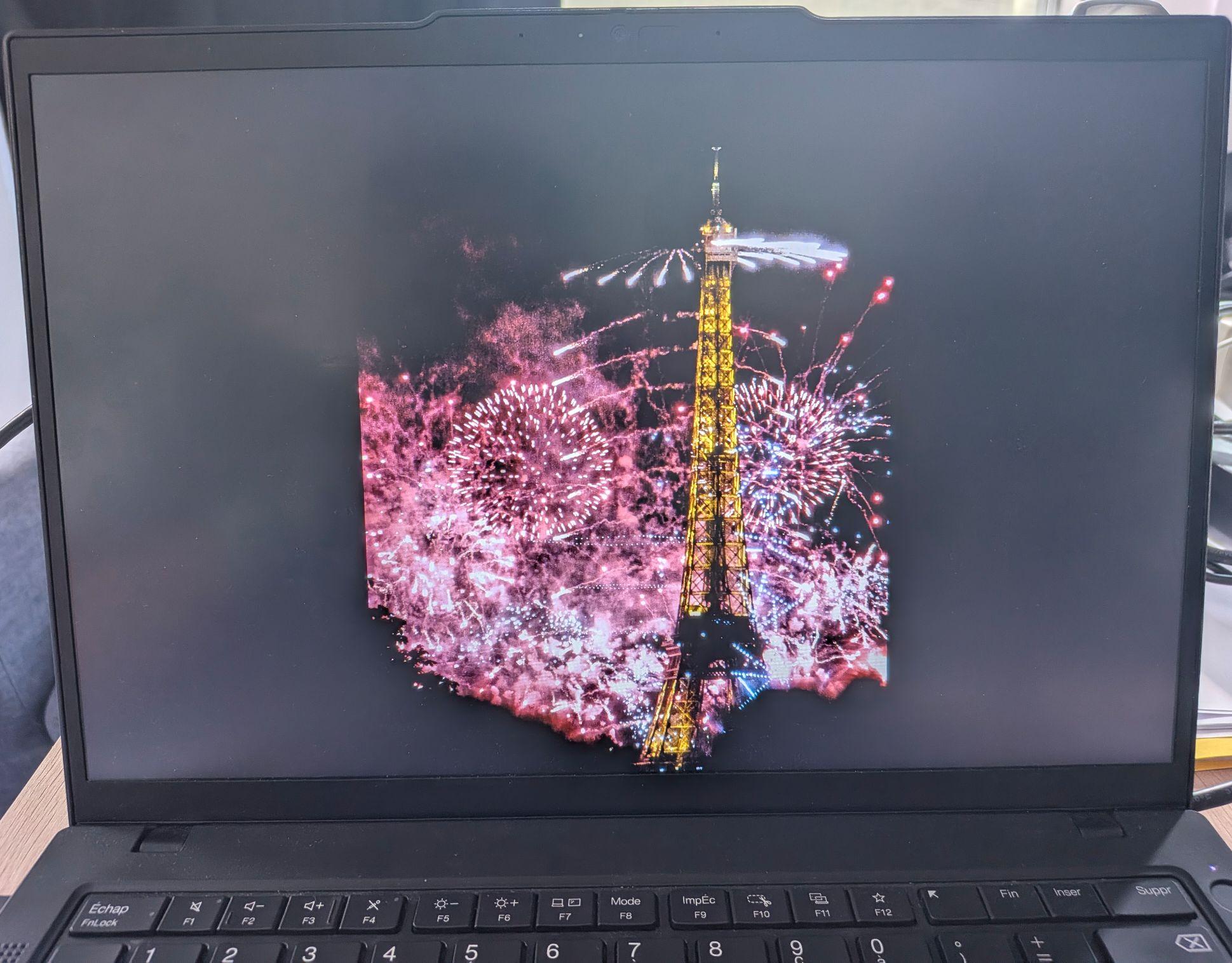
Note that the program runs in a TTY, it is therefore impossible to screenshot, hence the picture.
7. Page Flipping: Solving the Tearing Problem
When switching between photos, you might notice a visual artifact known as screen tearing. Because reading a large file from the disk into the GPU takes time, the screen might refresh right in the middle of the loading process. The user sees half of the old photo and half of the new photo simultaneously.
The elegant solution to this problem is called Page Flipping (Double Buffering).
Instead of writing directly to the active screen, we allocate two separate Dumb Buffers: a front buffer and a back buffer.
While the screen displays the front buffer, our CPU safely loads the next photo into the hidden back buffer.
Once our loading is complete, we call drmModePageFlip().
This instructs the kernel to swap the buffers, but it waits until the screen has finished drawing its current frame (the VBLANK interval).
The swap is atomic, meaning the user will never see a partially drawn frame again.
To implement this, we need to listen for DRM events using the drmHandleEvent() function combined with poll() or select().
The kernel will send us an event exactly when the page flip is complete.
This tells our program that it is safe to start drawing the next frame into the newly available back buffer.
Here is an overview of how a page flipping event loop looks:
|
|
8. Adding Basic Interactivity (Input Handling)
A digital album isn’t very useful if we can’t manually switch the pictures.
Since we don’t have X11 or Wayland to manage our keyboard, we must read raw input directly from the Linux kernel.
The Linux evdev (event device) subsystem is a stroke of architectural genius.
It abstracts away the underlying hardware protocols, exposing all input devices as uniform character files in /dev/input/.
Whether the user has plugged in a modern Bluetooth keyboard, an old USB keyboard, or a PS/2 laptop keyboard, the kernel normalizes the electrical signals into a standard C structure.
By opening a keyboard’s event file (like /dev/input/event3), we can read these raw input_event structures directly.
We don’t need to write custom drivers for every brand of keyboard; we just listen for standardized constants like KEY_RIGHT and KEY_LEFT.
We can effortlessly bind these specific key codes to mathematical operations that navigate our photo album’s index.
(Note: While the simplified example below hardcodes event3, our final main.c program scans all /dev/input/eventX files and uses ioctl(fd, EVIOCGBIT) to automatically discover which file corresponds to your actual keyboard!)
|
|
Although this input logic is very primitive, it perfectly illustrates how everything from the graphics card to the keyboard is just a file in Linux.
9. The Future: Atomic Modesetting
As our graphics needs grow, the legacy KMS API we just used begins to show its limitations. Every time we want to change the resolution, move a hardware cursor, or flip a page, we must make a separate API call. If these multiple calls aren’t processed perfectly in sync with the monitor’s refresh rate, visual glitches and tearing can return. To solve this, the Linux Kernel introduced the Atomic Modesetting API. Instead of applying changes one by one, the Atomic API allows developers to bundle dozens of state changes into a single “property request”. You then ask the kernel to commit this entire request atomically in one fell swoop. It is an “all-or-nothing” transaction that guarantees perfect synchronization and prevents partial screen updates. While the Atomic API is more complex to set up, it is the modern standard used by all professional Wayland compositors today.
Conclusion and Next Steps
Congratulations, you have just coded the ancestor of a Wayland compositor! By talking directly to the Linux DRM/KMS subsystem, we bypassed the entire conventional graphics stack. We took physical control of the screen, displayed our own images, and handled raw keyboard input with just a few dozen lines of C.
Throughout this journey, we have learned to:
- Take exclusive control of the graphics hardware by becoming the DRM Master.
- Navigate the KMS topology to identify Connectors, Encoders, and CRTCs.
- Allocate and map Dumb Buffers in VRAM to write pixels directly from the CPU.
- Control the TTY state to prevent the terminal from interfering with our display.
- Implement Page Flipping to ensure smooth, tear-free rendering.
- Parse raw keyboard inputs via the evdev subsystem.
Links
- Linux Kernel DRM/KMS documentation: https://docs.kernel.org/gpu/
drm-kms(7)man page: https://man.archlinux.org/man/drm-kms.7.endrm-memory(7)man page: https://man.archlinux.org/man/drm-memory.7.en- Our implementation: https://github.com/Gugu7264/gistre-article-drm